Connect
Join the correct organization using its branded setup experience.
MYID gives every user a guided mobile experience for identity help, account protection, and security learning. Organizations choose the services they offer; users get one consistent place to act.
MYID welcomes new users, helps them activate an existing work identity, and introduces the services their organization has made available.
Join the correct organization using its branded setup experience.
Find and verify the identity the organization has already created.
Review recovery information, set up biometrics, and choose available protection preferences.
Enter one familiar place for identity self service, protection, and learning.
The app adapts to the services each organization offers without making users learn the systems behind them.
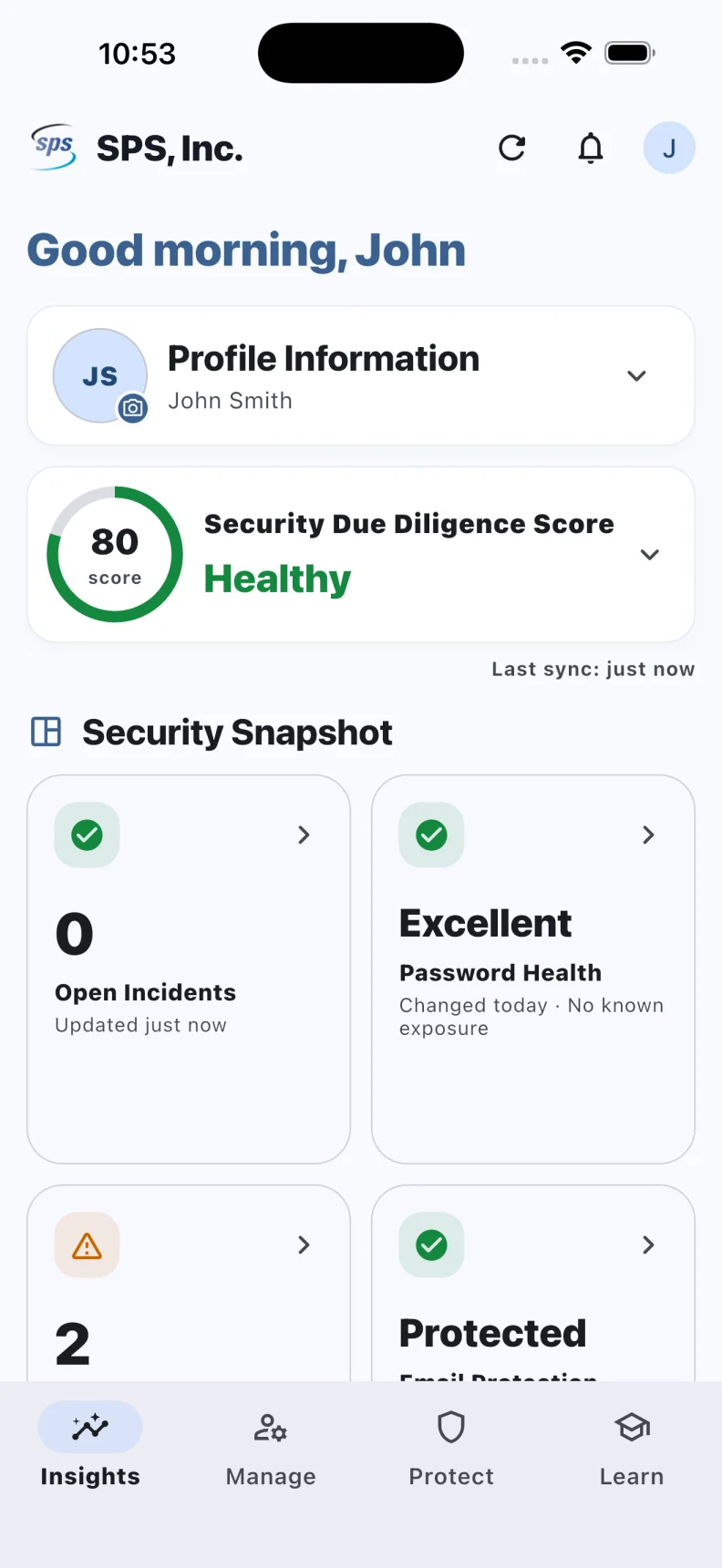
Review configured profile, password, factor, incident, device, training, and freshness information in a compact mobile view.
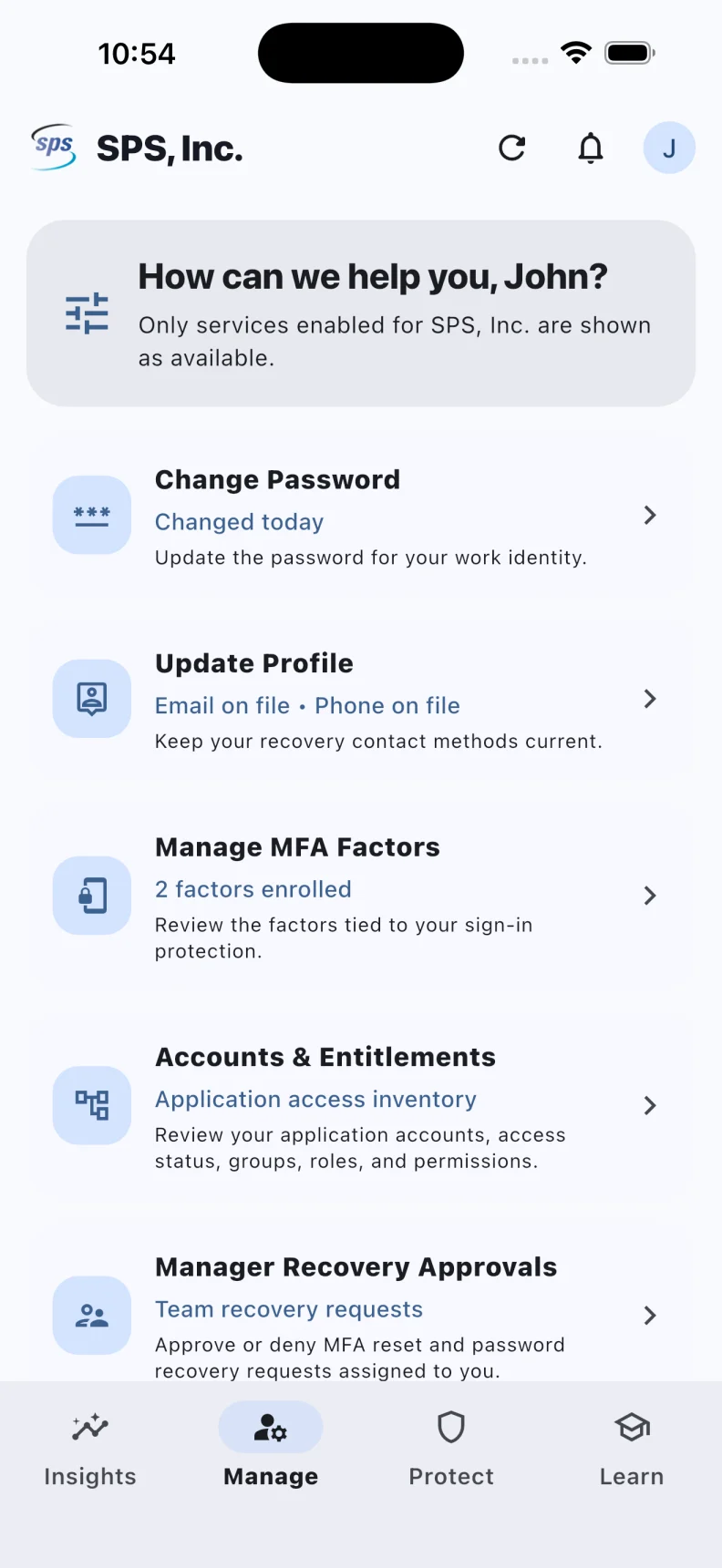
Complete supported password change or recovery paths with provider rules, step up verification, and returned result confirmation.
View enrolled factor data and start supported enrollment, disable, or removal actions when the provider allows them.
Request a live account unlock through a configured directory path and show success only after an acceptable result is returned.
Change company approved identity fields with validation and one time code confirmation when required. Photo transfer uses a separate background path.
Authorized managers can review assigned password or factor recovery requests without viewing password or one time code values.
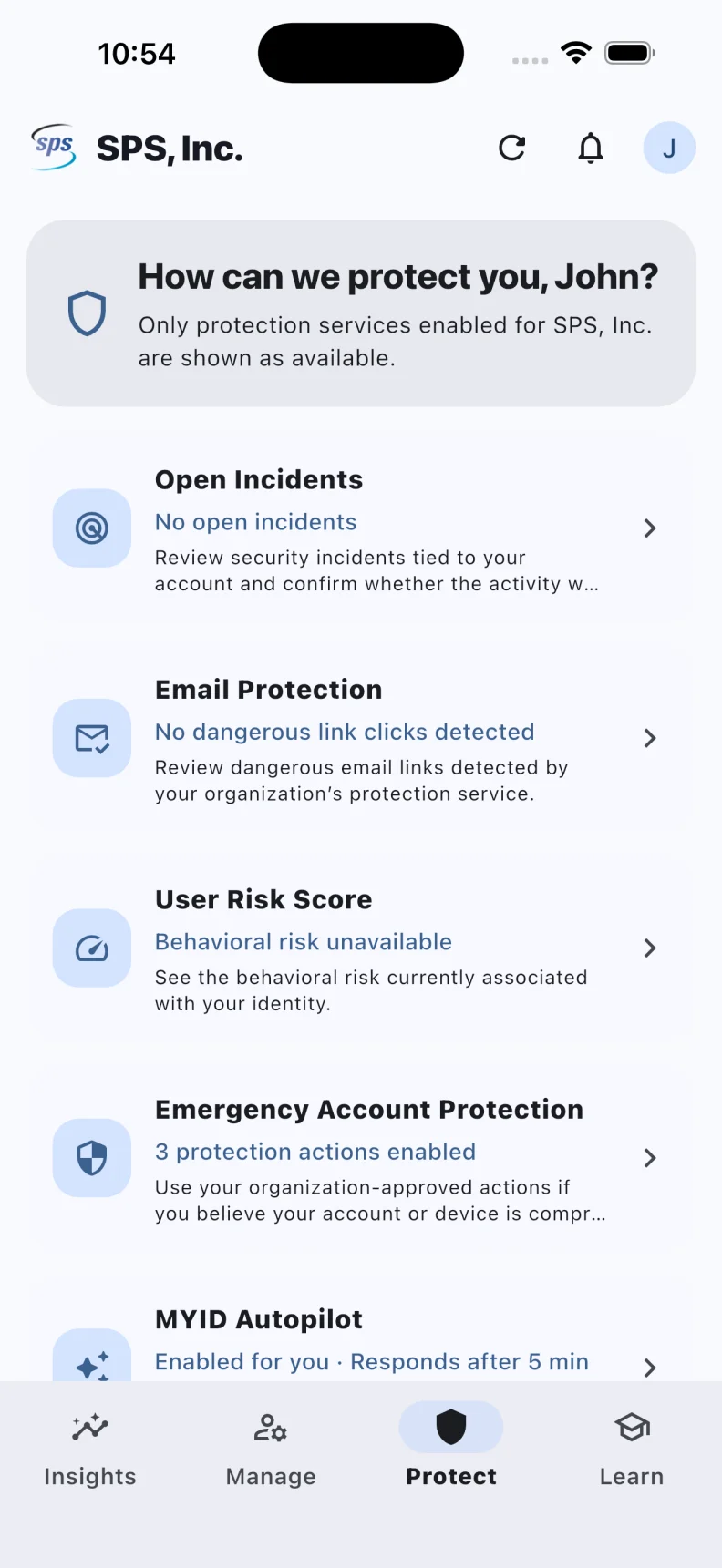
Review security events associated with the signed in identity and confirm familiar or suspicious activity through clear choices.
Where the company permits user choice, review policy and manage the saved response preference. Enforced and unavailable modes remain clear.
See current assignments, due dates, progress, and approved learning links when the company connects a supported training source.
Review dangerous link activity in plain language, recognize trusted activity, or protect the account when something is wrong.
Review application access, accounts, roles, permissions, and groups when the organization makes that information available.
MYID turns complex identity systems into a short, understandable path: know where you stand, handle routine work, and respond quickly when protection matters.
Insights brings the signals that matter into one clear view. Users can see whether their identity is healthy and what deserves attention without interpreting separate admin systems.
Manage gives users a focused place to handle common account needs. Every action is named clearly, guided step by step, and connected to the organization’s approved identity services.
Protect gives users one place to review incidents, suspicious email activity, identity risk, and emergency protection options. Urgent decisions stay understandable and close at hand.
The MYID home screen widget keeps the current user’s identity health and last sync visible at a glance. It is a quiet, useful reminder that protection is current, without becoming another notification competing for attention.
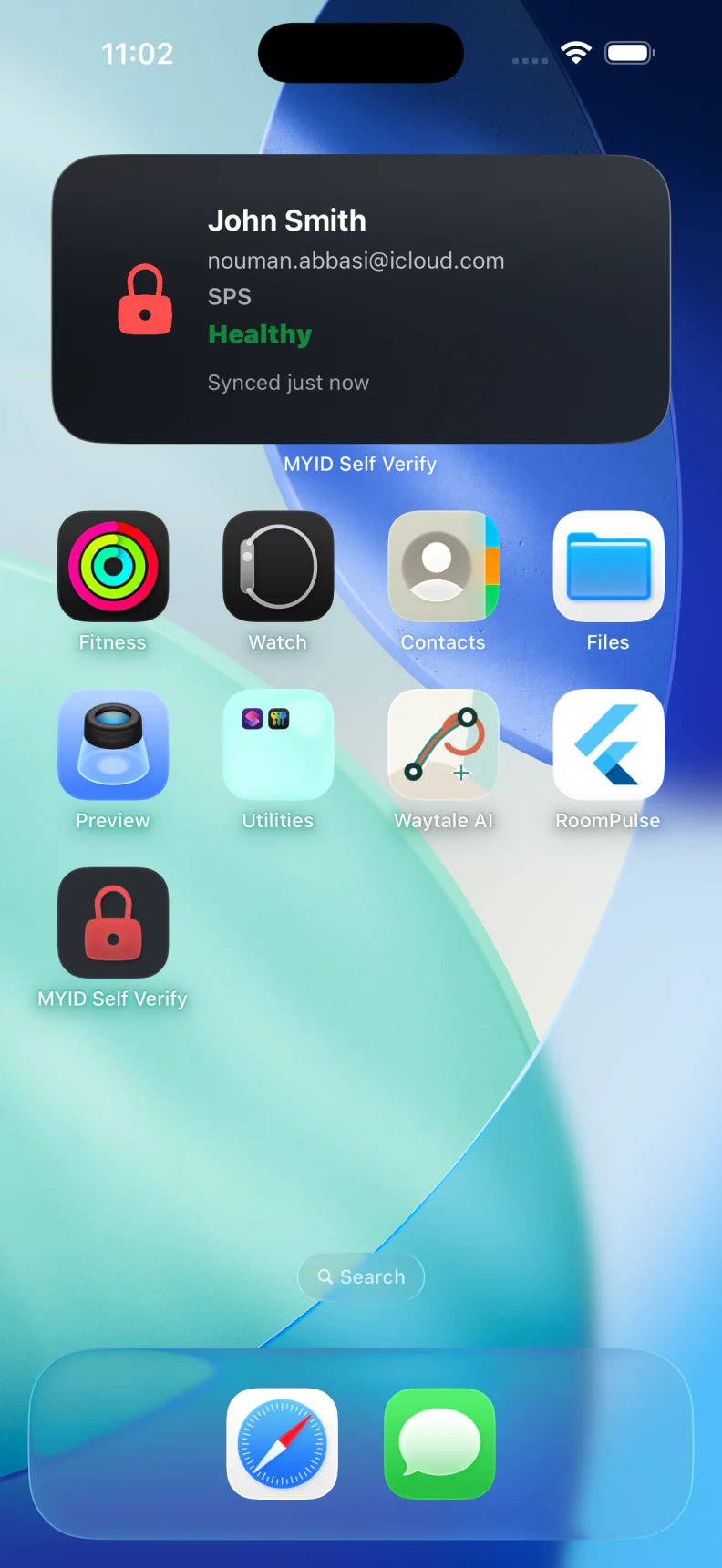
Shown with a sample company configuration. Available features, branding, and data depend on the services each organization enables.
Users can review assignments, due dates, progress, and completion history. Thoughtful reminders help them act before training becomes overdue.
Notifications can take users directly to the identity, security, or learning item that needs attention. Widgets and Live Activities can keep eligible information visible without making users search for it.
A consistent design, plain language guidance, biometric return, helpful notifications, and company branding make MYID approachable for users who never want to become identity experts.
The organization decides which services users receive and which actions require additional verification. MYID keeps the experience understandable without weakening those controls.
A useful demo starts with your users, their most common identity needs, and the security decisions your teams want to accelerate.
Book a Mobile Demo Read the User Guide